
Find the source of trouble
Bring server, network, service, application, website, storage, and backup status into a shared operations view.
Infrastructure · Identity · Security operations
RSU AssureShield brings infrastructure monitoring, Active Directory assurance, Windows security assessment, and governed remediation into one self-hosted console.
Clarity across your stack
AssureShield connects day-to-day availability signals with deeper identity and security evidence, helping teams focus on what needs attention and document what they did.
Bring server, network, service, application, website, storage, and backup status into a shared operations view.
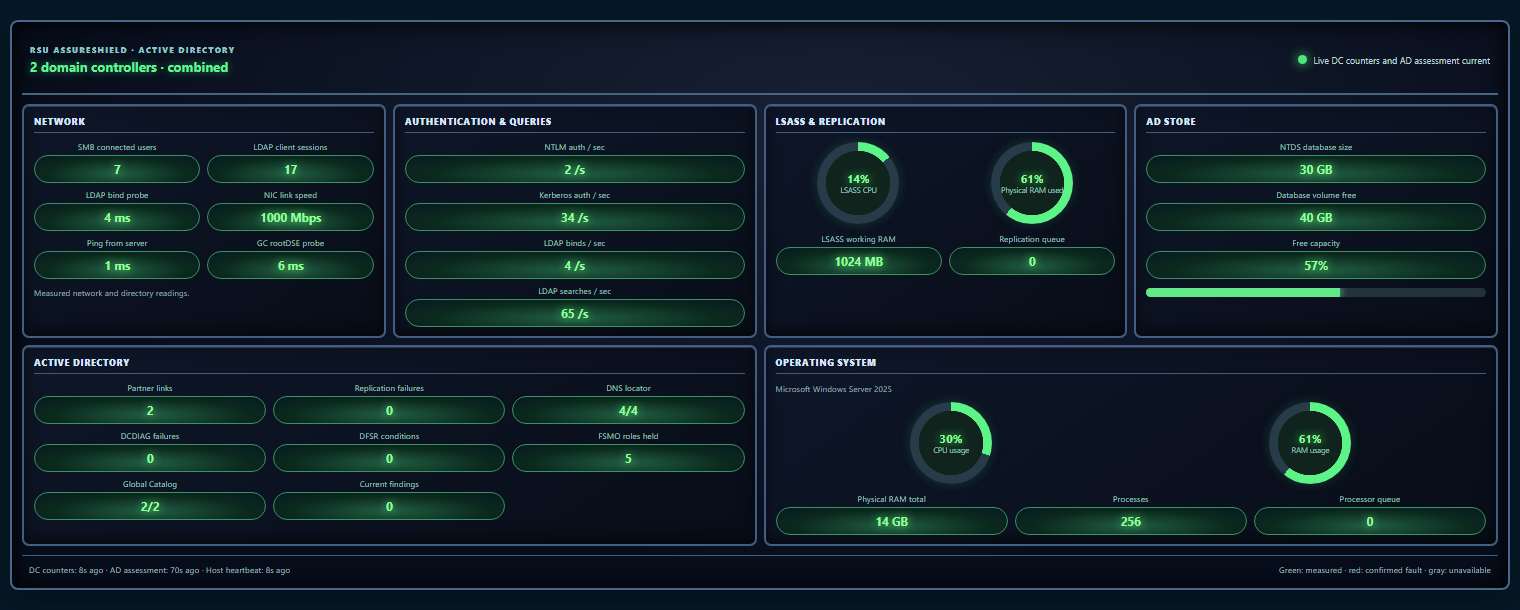
Review Active Directory health and security findings alongside controller performance and replication evidence.
Run supported remediation through approved workflows, monitor operation progress, then reassess the result.
Designed for actionable visibility
Purpose-built views organize operational signals into focused areas, so teams can investigate without losing the broader picture.
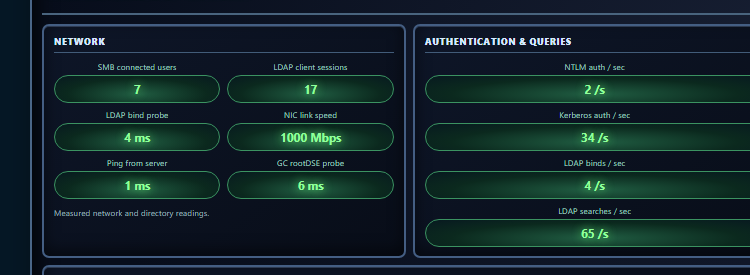
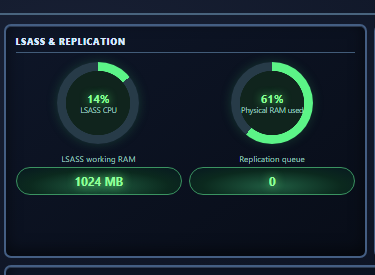
Screenshots are illustrative design previews with sample values. Actual panels and readings depend on configured monitors, endpoint capabilities, permissions, and telemetry available from each system.
Platform capabilities
A unified console for teams responsible for uptime, Windows infrastructure, identity services, and controlled change.
Monitor Windows servers, network devices, services, websites, applications, DNS, storage, performance, and backups.
Assess domain controller health, replication, DNS, SYSVOL/DFSR, directory security posture, and account-related exposure.
Review configuration findings with evidence, severity, remediation guidance, coverage, and explicit unknown states when data is missing.
Enroll and manage the RSU-Trusted Platform Smart Agent, track deployment and update progress, and collect endpoint telemetry.
Apply supported, approved controls through agent or policy workflows, with operation tracking, audit history, and rollback where supported.
Work with SCAP/XCCDF content, applicability profiles, review exceptions, and CKL/ARF artifacts for formal assessment workflows.
Route operational notifications and eligible exposure findings through configured email, with daily digest status visible to administrators.
Use local accounts with optional authenticator-app MFA or Windows integrated sign-in with administrator and technician role mapping.
Follow agent actions, assessment results, alerts, and administrative changes with clear status and supporting evidence.
Your environment. Your control.
Deploy the management server inside your environment and keep operational records, credentials, assessments, and remediation history under your organization’s control.
A practical workflow
Move from visibility to verified action with an operational process your team can follow.
Collect status and performance from configured infrastructure and managed endpoints.
Review current evidence, severity, coverage, and what still needs validation.
Run an approved action where supported, track its progress, and reassess the system.
AssureShield distinguishes measured values, confirmed findings, and unavailable or stale data. Endpoint protection health is verified through supported Windows or product-provided signals; installation alone is not treated as proof that protection or signatures are current.
Bring your environment into focus
Talk with Remote Support Unit about an AssureShield walkthrough, deployment fit, and the operational outcomes you want to improve.
Contact Remote Support Unit